Start typing to see results...
Converter Tools
Utility Tools
HEIC Viewer HEIC Compressor Metadata Viewer
Platform Guides
Windows Guide Mac Guide Android Guide
Resources
Our Blog How it Works
Company & Legal
No Uploads · 100% Private · Browser-Based

Convert HEIC to JPG Locally — No Uploads

Your photos never leave your device. Batch convert Apple HEIC Photos privately, instantly, for free.

HEIC Converter
100% Free Private
1
Add files
HEIC / HEIF
2
Set options
Quality, resize…
3
Download
ZIP or individual
Output format
JPG JPEG PNG WebP PDF AVIF TIFF
Drop HEIC or HEIF files here
Or drag an entire folder — up to 500 files
Advanced options PRO TIP
Quality
85%
Resize output
Preserve Metadata
Enabled
Filename Template
Resize presets
Original size 2× (retina) 1920 px 1280 px 800 px
0%

Rate this tool

4.7/5 (382 votes)

Which format should you choose?

Format Best for File size Transparency Universal support Lossless
JPG Sharing, email, printing Small No Yes No
PNG Logos, screenshots, editing Medium Yes Yes Yes
WebP Websites, web apps Very small Yes Most browsers Optional
PDF Documents, portfolios Medium No Yes Yes
AVIF Modern web, best compression Smallest Yes Modern browsers Optional

Latest News & Guides

What is HEIC?

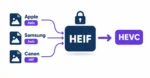
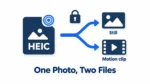
HEIC (High Efficiency Image Container) is Apple's default photo format, used on iPhones and iPads since iOS 11. It uses HEVC (H.265) compression — providing about 50% smaller files than JPEG at the same visual quality. The trade-off is compatibility: many non-Apple platforms, legacy browsers, and websites cannot read HEIC natively without a dedicated HEIC converter.

Why convert to JPG?

JPG is universally supported on every device, browser, and platform. Convert HEIC to JPG to share photos with Android or Windows users, upload to social media, send by email, or submit to any website. If transparency matters, convert HEIC to PNG instead. For web developers, WebP provides smaller files with excellent visual quality.

How is this private?

All conversion is performed using WebAssembly directly inside your browser tab. Your photos are read from local disk, processed in memory, and saved back — entirely on your device. Nothing is ever transmitted to a server. You can even go offline after the page loads and the tools will still function perfectly.

HEIC to JPG Frequently Asked Questions

What is a HEIC file and why does my iPhone use it?
Apple introduced HEIC (High Efficiency Image Container) as the default format with iOS 11. It uses the HEVC (H.265) standard to provide high-quality images at roughly half the file size of a traditional JPEG.
Why can't I open HEIC files on Windows 11?
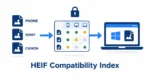
Windows 11 does not open HEIC files natively out of the box. To view them, you typically need to install the "HEIF Image Extensions" from the Microsoft Store. Using heic.dev for Windows is a faster, free alternative.
Does converting HEIC to JPG reduce image quality?
Because JPEG is a lossy format, there is a technical reduction in quality. However, by using HEIC.dev's High Quality (85%+) settings, the difference is virtually indistinguishable to the human eye.
How many files can I batch convert at once?
heic.dev supports batch conversion of up to 500 files at a time. Since the processing happens locally on your computer's hardware, it is limited only by your device's memory.
Is it safe to upload my private photos here?
You don't upload them! HEIC.dev is a "No-Server" platform. Your photos stay on your computer or phone throughout the entire process. This is the safest way to convert sensitive images.
Can I preserve the GPS and EXIF data in my photos?
Yes! Our advanced settings allow you to toggle "Preserve Metadata," which keeps all camera settings, date taken, and GPS coordinates intact. You can use our HEIC Metadata Viewer to inspect this data before or after conversion.
How do I stop my iPhone from taking HEIC photos?
Go to Settings > Camera > Formats on your iPhone and select "Most Compatible". This will force your camera to save new photos as standard JPEGs.
Does this tool work on Android or Mac?
Absolutely. HEIC.dev works in any modern web browser (Chrome, Safari, Edge, Firefox) on Android, macOS, Linux, and Windows.
Can I convert HEIC to PNG or WebP?
Yes, simply select your desired output format from the "Formats" menu or the tabs within the converter tool. PNG is lossless, while WebP is optimized for web performance.
Is HEIC.dev really free?
Yes, our tool is 100% free with no hidden fees, watermarks, or registration required. We support the site through minimal, non-intrusive advertising.
What is the difference between HEIF and HEIC?
HEIF is the standard (High Efficiency Image Format), while HEIC is the specific container used by Apple. They are functionally the same, and our HEIF to JPG tool supports both.
Why is my converted JPG larger than the HEIC?
HEIC uses superior compression technology. A JPEG often needs twice the file size to maintain the same visual quality as a HEIC file.