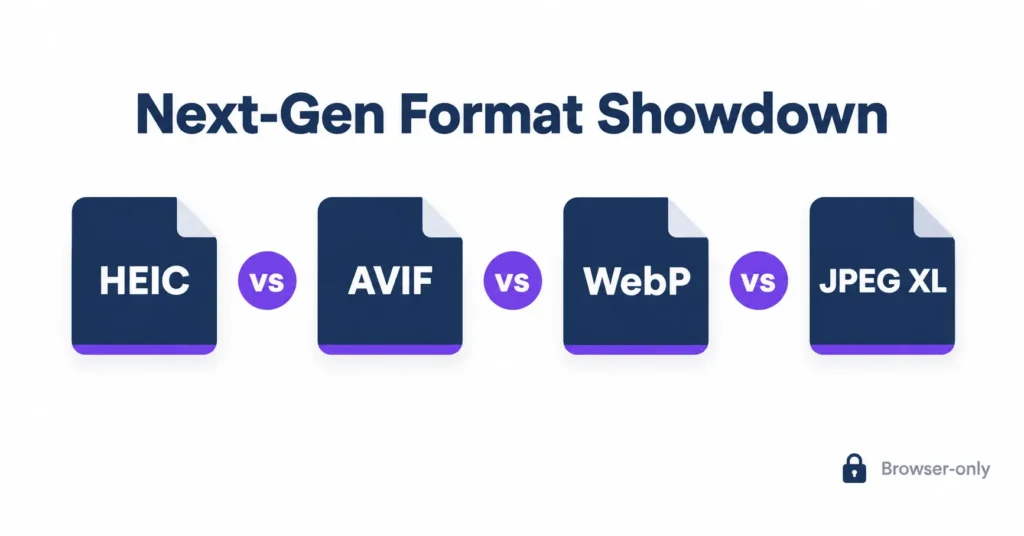
In the HEIC vs AVIF vs WebP vs JPEG XL contest, AVIF and JPEG XL usually deliver the smallest files at a given quality, WebP is the safest choice for every browser, and HEIC belongs in your photo library rather than on a web page.
Here’s the frustration. An iPhone photo looks perfect on the phone, then turns into a broken thumbnail the moment you drop it into your media library, and every replacement format claims to be the smallest. So which one do you trust?
heic.dev’s HEIC to AVIF Converter turns those photos into web-ready files in your browser, so nothing is uploaded. For wider background on formats, MDN’s image format guide is a solid reference.
Key Takeaways
- AVIF and JPEG XL usually produce the smallest files; WebP sits behind them, and HEIC suits camera storage.
- heic.dev converts HEIC photos to AVIF, WebP or JPG in seconds, with no signup and no account.
- heic.dev runs on WebAssembly in your browser, so your photos never leave your device.
- WebP and AVIF load in all major browsers, but JPEG XL is on by default only in Safari (October 2026).
Table of Contents
The Four Formats in Plain English
HEIC is Apple’s implementation of HEIF (High Efficiency Image Format), compressed with the HEVC (H.265) video codec. AVIF (AV1 Image File Format) borrows the royalty-free AV1 codec instead. WebP is Google’s format, built on VP8 for lossy photos, while JPEG XL (ISO/IEC 18181) was designed to replace JPEG outright.
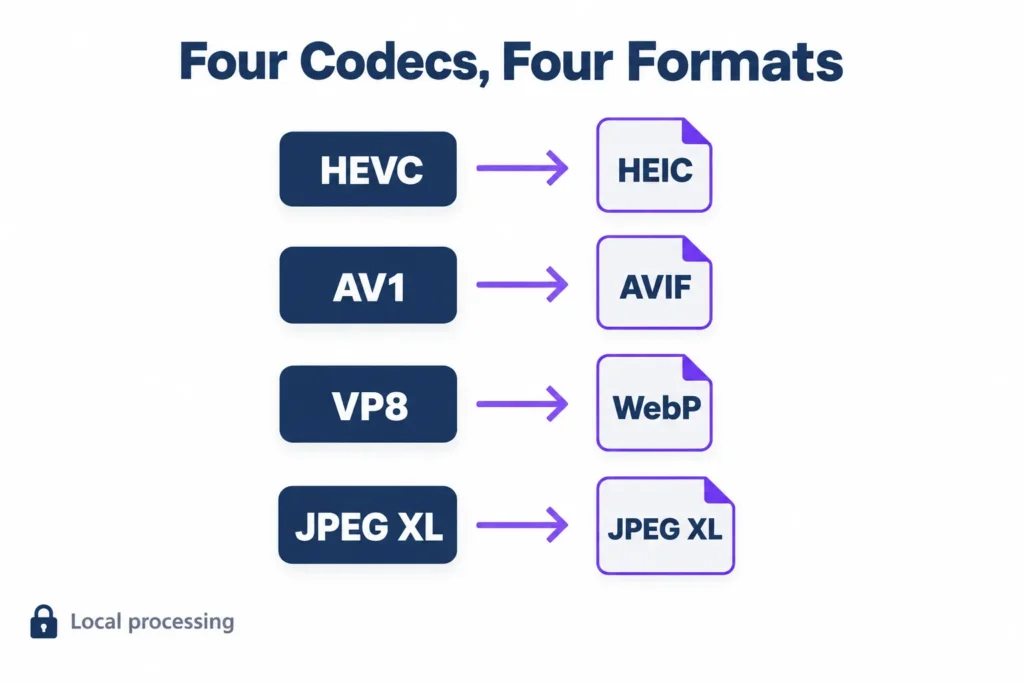
Four image codecs. Four different jobs. The confusion starts when people judge all of them as web formats, because only three of them really are.
HEIC vs AVIF vs WebP vs JPEG XL: Head-to-Head Comparison
Seven differences matter in practice. Here they are side by side, reflecting what each format supports as of October 2026.
| Feature | HEIC | AVIF | WebP | JPEG XL |
|---|---|---|---|---|
| Codec | HEVC (H.265) | AV1 | VP8 (lossy) | JPEG XL native |
| Alpha transparency | Yes | Yes | Yes | Yes |
| HDR / wide gamut | Yes | Yes | No | Yes |
| Animation | Image sequences | Yes | Yes | Yes |
| Progressive loading | No | Not in practice | No | Yes |
| Browser support | Limited | Broad | Broad | Safari only (partial) |
| Encoding speed | Moderate | Slow | Fast | Moderate to fast |
Browser support is the row that settles most arguments. A format that wins every benchmark still loses if a chunk of your visitors see a broken image.
To test this on your own photos, heic.dev’s HEIC to AVIF Converter runs in your browser. Open heic.dev/heic-to-avif, drag your HEIC file in, and download the AVIF. No account. No upload. Nothing stored. Need a more compatible output? The HEIC to WebP Converter and HEIC to JPG Converter work the same way, and your photos stay on your device throughout.
Compression Efficiency: How Small Each Format Gets
Smaller isn’t automatically better. Every format hits its size target by discarding detail, and the difference between a clean product shot and a smeared one is where that detail gets thrown away.
HEIC files typically run 40–50% smaller than an equivalent JPEG, which is why Apple made it the iPhone default in iOS 11 back in 2017. AVIF lands in similar territory and, in most independent comparisons, pulls ahead at low quality settings, where blocky artefacts hurt older formats most.
WebP beats JPEG comfortably but gives ground to AVIF and JPEG XL at matched visual quality. Smooth gradients expose it first, because lossy WebP is limited to 8-bit colour and 4:2:0 chroma subsampling, which shows up as banding in skies and colour bleed around red text.
Where JPEG XL Pulls Ahead
JPEG XL has a trick none of the others share. It can recompress an existing JPEG losslessly, commonly around 20% smaller, and rebuild the original file bit for bit later. For anyone sitting on a decade of JPEG archives, that’s real money saved on storage.
One honest caveat. Results swing with the image itself: portraits, product shots and screenshots all compress differently, so treat any universal percentage (including the ones here) as a starting point rather than a promise.
Encode and Decode Speed in Real Pages
Speed has two halves, and people constantly mix them up. Encoding happens once, on your machine or server. Decoding happens on every visitor’s device, every single time the page loads.
AVIF encoding is the slow one. At its highest-effort settings it takes noticeably longer than WebP or JPEG XL for the same photo, which hurts if your CMS converts uploads on the fly or your build processes thousands of images.
Decoding tells a different story. WebP decodes quickly and has years of optimisation behind it. JPEG XL also decodes fast and supports progressive rendering, so a half-downloaded file already shows a usable picture. AVIF doesn’t offer true progressive loading in practice, and on a low-end phone its decode cost can eat into Largest Contentful Paint (LCP), the Core Web Vitals metric that times your biggest visible element.
HEIC decoding depends on HEVC support, which Apple devices accelerate in hardware but most browsers don’t expose to web pages. Each encoder also has its own effort dial:
- avifenc:
--speedfrom 0 (slowest, smallest) to 10 (fastest) - cwebp:
-mfrom 0 to 6 - cjxl:
--effortfrom 1 to 9
Decode speed varies enormously by library and device. A mid-range Android phone and a MacBook tell very different stories, so test on the weaker one.
Browser and Platform Support in 2026
Most Windows users hit this wall the first time an iPhone photo lands in their inbox: a grey box where the picture should be.
The web formats have it easier. Can I Use’s AVIF data shows AVIF rendering in current Chrome, Firefox, Safari and Edge, and WebP has been universal even longer. That makes the pair safe for production with a JPG fallback behind them.
JPEG XL is the unsettled one. Safari has supported it by default since version 17 in 2023, though Can I Use rates that support as partial. Chrome removed its decoder in 2022 and brought one back in Chrome 145 (February 2026), but it stays disabled by default through Chrome 154, and Firefox and Edge don’t enable it either. As of October 2026, Can I Use puts global support around 17%, almost all of it Safari. The first versions it lists as enabled by default are Chrome 155 and Firefox 158, so check the JPEG XL support table again before you depend on it.
HEIC has the narrowest reach. Safari can display it on Apple devices, most other browsers can’t, macOS 10.13 and later opens it in Preview, and Windows needs the free HEIF Image Extensions from the Microsoft Store. The safe delivery pattern is a picture element that lets each browser pick the best format it understands:
<picture>
  <source srcset="photo.avif" type="image/avif">
  <source srcset="photo.webp" type="image/webp">
  <img src="photo.jpg" alt="Describe the photo" width="1200" height="800">
</picture>
Features Beyond File Size
Check what your images actually contain before you pick a format, because file size isn’t the only thing that can rule one out.
- HDR and wide gamut: HEIC, AVIF and JPEG XL handle both. WebP doesn’t.
- Transparency: all four support alpha, which standard JPG can’t do. HEIC also carries Live Photos, burst photos and depth maps that the other three leave out.
- Animation: AVIF, WebP and JPEG XL animate, while HEIC stores image sequences.
- Size limits: WebP caps out at 16,383 pixels per side. That’s fine for photos and a genuine problem for panoramas and giant scans.
- Progressive loading: only JPEG XL does it properly.
Most sites need none of this. But the day a design team hands you a 10-bit HDR hero shot, WebP quietly stops being an option.
How to Run Your Own Benchmark
Published benchmarks go stale as encoders improve, and nobody else’s test set looks like your images. This article ranks formats by well-established tendencies rather than quoting one test run, so ten minutes of your own testing beats any chart you’ll find online.
- Collect 20 representative images: portraits, product shots, screenshots, and a few smooth gradients.
- Export each to AVIF, WebP, JPEG XL and a JPG baseline at matched visual quality, checked with SSIMULACRA 2 or your own eyes.
- Record every file size and the total encoding time.
- Load the results into a test page and compare decode time and LCP in Lighthouse on a mid-range phone.
- Pick the winner on the metric you actually care about.
For HEIC sources, heic.dev’s converters give you AVIF, WebP and JPG outputs straight from your iPhone files, and the files never leave your device. They don’t produce JPEG XL, so you’ll need the reference cjxl encoder for that leg.
Convert from the original HEIC wherever you can. Re-encoding an already-compressed JPG adds a second round of artefacts that no quality slider will remove.
Which Format to Pick for Your Use Case
Three questions decide it: who’s viewing, what’s in the image, and how often you encode.
- Photo-heavy websites: serve AVIF first, WebP second, JPG last.
- Maximum compatibility with minimal fuss: WebP on its own.
- Photo archives and long-term storage: keep the original HEIC or JPG, and look at JPEG XL if your tools support it.
- Email attachments and upload forms: JPG, because plenty of forms still reject everything else.
- Sharing between iPhones: HEIC, which stays smaller and keeps Live Photo data.
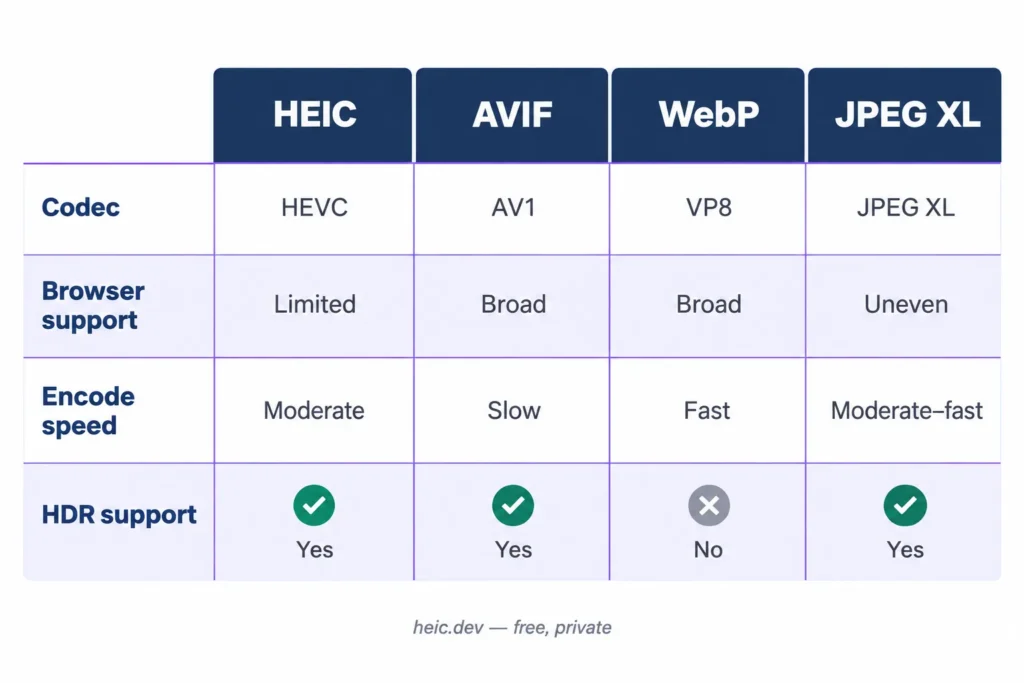
Notice the pattern. No format wins everywhere, and the sensible answer for most sites in 2026 is a stack of two or three, not a single champion.
Where Each Format Trips You Up
Gradients Look Banded or Blotchy
Your quality setting is too low, or WebP’s 8-bit limit is showing. Raise quality in small steps and recheck, or switch that image to AVIF, which handles 10-bit colour and smooth skies far better.
The Image Shows Up Broken in a Browser
Almost always a missing fallback. HEIC won’t render in most browsers, and JPEG XL fails everywhere except Safari by default. Wrap your sources in a picture element with a JPG at the bottom, or convert the file to WebP first.
AVIF Encoding Takes Forever
Raise the encoder’s speed setting and accept a slightly larger file. For bulk jobs, encode once at upload and cache the result instead of converting on every request.
Frequently Asked Questions
Which is better, AVIF or WebP?
AVIF usually produces smaller files at the same visual quality and supports HDR and 10-bit colour, while WebP encodes faster and works in older browsers. For most sites in 2026, serving AVIF first with a WebP fallback gives the best result. If encode time or legacy support matters more than file size, WebP alone is a low-risk choice.
Is JPEG XL better than AVIF?
On features, arguably yes: JPEG XL adds progressive decoding, lossless JPEG recompression and faster encoding. On reach, no. As of October 2026 JPEG XL is on by default only in Safari, while AVIF loads in all major browsers. JPEG XL is the format to watch, but AVIF is the one you can ship to nearly everyone today.
Is HEIC the same as AVIF?
No. Both belong to the HEIF family of image formats, but they use different codecs. HEIC compresses with HEVC (H.265) and has been Apple’s default photo format since iOS 11. AVIF compresses with the royalty-free AV1 codec and works in all major browsers, which is why AVIF suits web pages while HEIC mostly stays inside Apple’s camera and photo apps.
Is HEIC better than WebP for websites?
No. HEIC compresses well, but most browsers can’t display it, so a HEIC file on a web page usually shows as a broken image. WebP loads in all current major browsers and produces smaller files than JPG. Keep HEIC for storing originals, then convert to WebP or AVIF before publishing.
Do all browsers support JPEG XL yet?
No. As of October 2026, Safari supports JPEG XL by default, though Can I Use rates that support as partial. Chrome and Firefox keep it disabled by default in current releases, and Can I Use lists default support only from Chrome 155 and Firefox 158. Always include a WebP or JPG fallback inside a picture element so nobody sees a broken image.
Does AVIF slow down page loading?
Not usually. AVIF files are smaller, so they download faster, but decoding them can cost more CPU than WebP or JPG, especially on low-end phones. For typical photos the saved bytes tend to outweigh the decode time. Test your largest images on a mid-range device and check Largest Contentful Paint in Lighthouse before rolling AVIF out site-wide.
Can I convert HEIC to AVIF without uploading my photos?
Yes. heic.dev’s HEIC to AVIF Converter runs in your browser using WebAssembly, so the file never leaves your device. There’s no server upload, no signup and no stored copy. Open the page, drag in your HEIC files, and download the AVIF. A server-based converter works differently: it has to receive your file before it can process it.
Final Words
Picking a format stops being a coin flip once you know what each one is for. HEIC is for capture, WebP is for reach, AVIF is for the smallest files you can safely ship, and JPEG XL is the one to watch.
Start with your own photos. The HEIC to AVIF Converter turns them into web-ready files in seconds, free, with no upload and no account. The HEIC to WebP and HEIC to JPG converters work the same way.