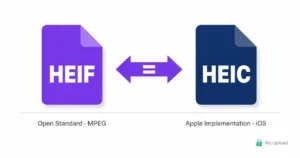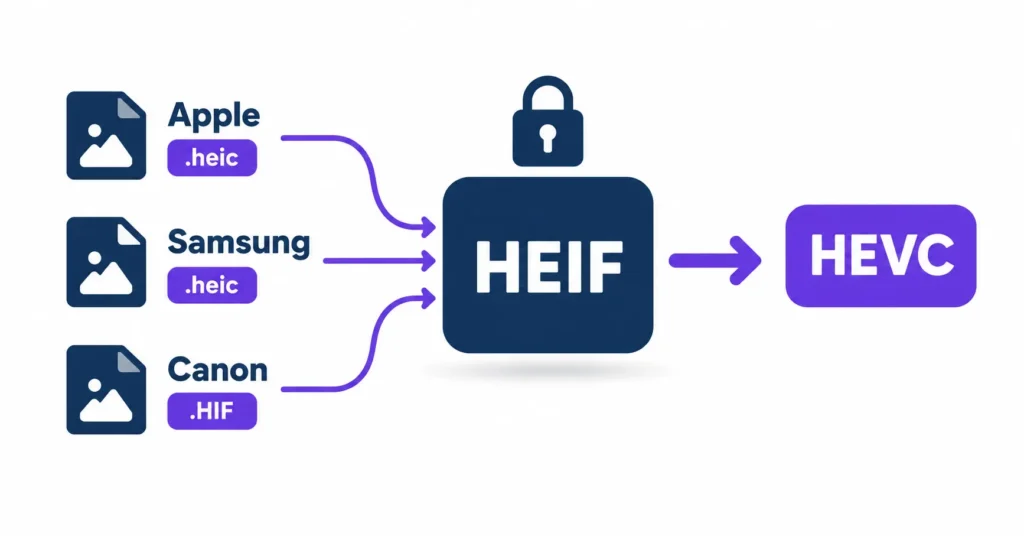
HEIF is the container. HEIC is the name for HEIF files whose images are compressed with HEVC (H.265). Apple made .heic the iPhone default, Samsung writes .heic too, and Canon writes the same kind of file with a .HIF extension. So the codec family is the same. What differs between Apple, Samsung and Canon files is the HEVC profile, the bit depth, the color handling and the label on the file.
That is why a Canon HIF can open in Canon’s own software and show a blank thumbnail in your photo manager, while a Samsung .heic from the same weekend opens in Gallery and gets rejected by a web upload form. If you only need the pixels in a format everything can open, heic.dev’s HEIF to JPG Converter converts in your browser without uploading your photos. Read the conversion limits first if your files are 10-bit HDR.
Key Takeaways
- HEIF is the container standard. HEIC is HEIF with HEVC-compressed images, written by Apple, Samsung and others.
- Canon HIF files use the same container and codec family, but are typically 10-bit HDR, which older decoders may not read.
- The
heicbrand covers 8-bit HEVC profiles. Theheixbrand covers wider profiles such as Main 10 (10-bit), so a decoder can accept one and reject the other. - A browser conversion to JPG gives an 8-bit, standard dynamic range file. The HDR look of a Canon HIF does not survive, so keep the original.
- You can check a file’s brand, profile and bit depth yourself with free tools (see below).
Table of Contents
HEIF vs HEIC: Container, Codec and Extension
Think of HEIF as a shipping crate and HEVC as what is packed inside. HEIF is standardized by MPEG as ISO/IEC 23008-12 and is built on the ISO Base Media File Format, the box-based structure that also holds MP4 video. It defines how images, thumbnails, metadata and auxiliary data are stored. It does not decide how the pixels are compressed.
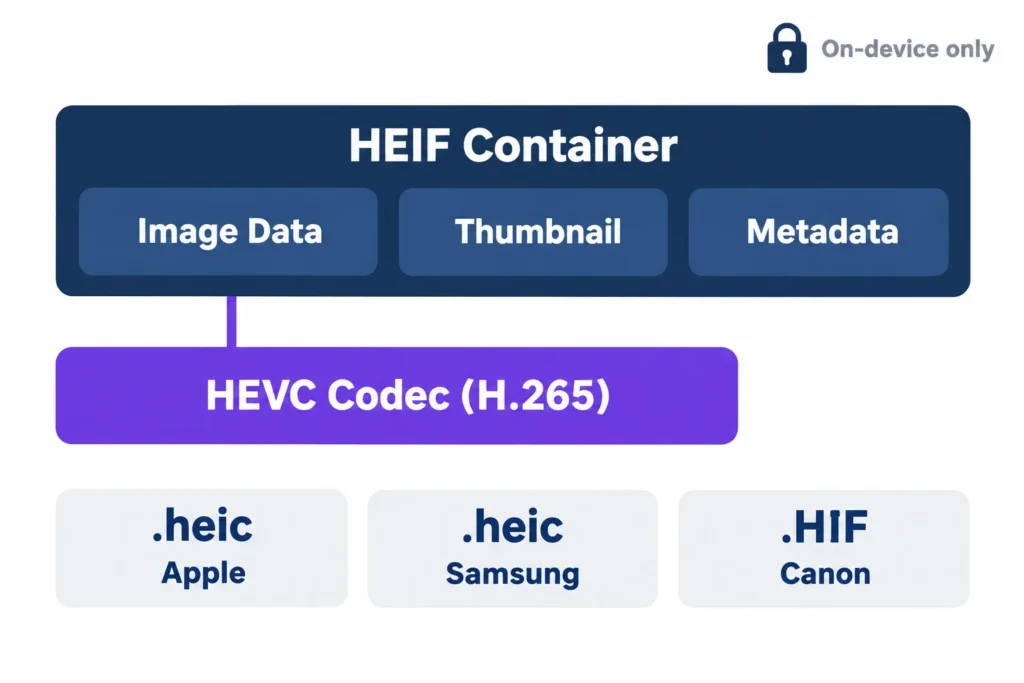
That job belongs to a codec (coder-decoder), the algorithm that compresses and decompresses pixel data. HEVC (High Efficiency Video Coding, also called H.265) is the codec Apple uses, and Samsung and Canon use it too. The .heic extension and the heic brand code identify HEIF files with HEVC images. Apple adopted them for iPhone photos; it did not invent them.
Extensions are where it gets messy. Apple and Samsung write .heic. Canon writes .HIF. Related specifications also use .heif, .heics, .avci and, for AVIF, .avif. Same box structure, different labels. That is also why searches for “HEIF to JPG” and “HEIC to JPG” describe nearly the same job.
What Actually Differs: Brand, Profile, Bit Depth, Tiles
Three things decide whether two HEIF files behave alike: the brand code, the HEVC profile, and how the picture is stored.
Brand Codes and HEVC Profiles
Every HEIF file starts with an ftyp box that lists brand codes. The heic brand covers HEVC’s Main and Main Still Picture profiles, which are 8-bit. The heix brand covers wider profiles, including Main 10 for 10-bit images. A decoder built only for heic may reject a heix file even though both are HEIF. That mismatch explains many “works here, fails there” reports. Wikipedia’s HEVC entry lists the profiles.
Bit Depth, Chroma and Color
8-bit gives 256 brightness levels per channel. 10-bit gives 1,024, which gives smoother skies and gradients where JPEG tends to show banding first. Phone HEIC files typically store chroma at 4:2:0, meaning colour detail is sampled at half resolution horizontally and vertically.
Grids and Auxiliary Images
HEIF can store one large picture as a grid of smaller HEVC-coded tiles. Thumbnails, depth maps and mattes are stored as separate items in the same file.
So is Apple’s HEIC “really” different from Samsung’s or Canon’s HEIF? The compression family is identical. The profile, bit depth, colour space and metadata layout are what vary.
How Apple Writes HEIC Files
Apple made HEIC the iPhone default with iOS 11 in 2017. The goal was smaller files at similar visual quality. A saving of roughly 40 to 50% over JPEG is often quoted, but it varies with the scene.
iPhone HEIC photos are typically 8-bit HEVC stills, usually tagged with a Display P3 colour profile. Portrait mode photos add a depth map as an auxiliary image, and recent iPhones can add HDR gain map data the same way. A Live Photo is a HEIC still plus a separate short MOV file, not one combined file.
On the phone, the switch is under Settings, Camera, Formats: High Efficiency for HEIC or Most Compatible for JPEG. It only affects future photos. See Apple’s camera formats page for the official description.
On a Mac, macOS 10.13 High Sierra and later opens and exports HEIC in Preview. Windows needs more: without the free HEIF Image Extensions from the Microsoft Store, iPhone photos show as grey boxes, and many PCs also need the HEVC Video Extensions to decode them. iPhone files are fairly uniform across models, so a tool that opens one usually opens the rest.
Samsung HEIC and Android
Many Galaxy phones offer a “High Efficiency Pictures” option in the camera settings. When it is on, the phone writes .heic files. On many models it is off by default, so plenty of Galaxy photos are still JPEG. The exact setting name and default can differ by model and One UI version, so check your phone.
These files are standard HEIF containers holding HEVC images, with the same extension as Apple’s. Most tools that open iPhone HEIC open Samsung HEIC too. Android has decoded HEIF images since Android 9, so Gallery apps and Google’s own tools generally open them. The trouble starts when the file leaves the phone: upload forms, older desktop software and some editors still reject .heic even though the file is valid.
Canon HIF: 10-bit HDR in the Same Container
Canon’s HEIF mode, found on bodies such as the EOS R5, R6 and 1D X Mark III, saves files with the .HIF extension. It is meant as a JPEG replacement with 10-bit depth, so highlights and shadows hold more tonal steps.
Canon’s HDR PQ files pair 10-bit HEVC (Main 10) with the PQ transfer curve and a wide colour gamut. That is a different target from an iPhone’s 8-bit Display P3 photo, and it explains the compatibility gap. A viewer that handles 8-bit HEIC perfectly may show nothing, or flat colour, for a Canon HIF. The container is still plain HEIF with the same box structure. Only the payload differs.
If you need to deliver a file, you will often convert it. A browser converter outputs 8-bit SDR JPG, so the HDR look will not survive, and a browser decoder may not handle every 10-bit camera file. Test one frame first, keep the HIF original, and use Canon’s Digital Photo Professional or your editor for HDR or colour-critical work.
AVC, AV1 and Other Codecs
HEIF does not require HEVC. The family also covers AVC (H.264) images, usually under the avci brand. AVIF is a related format built on a HEIF-style container but carrying AV1-compressed pictures. AV1 is open and royalty-free, and browser support for AVIF is broader than for HEIC. HEVC is covered by patents licensed through several pools, which is one reason support for HEIC is uneven.
So “HEIF” can mean different codecs depending on the brand, but almost every HEIF photo from a phone or camera is HEVC. For web delivery, the HEIC to AVIF Converter can produce AVIF in the browser.
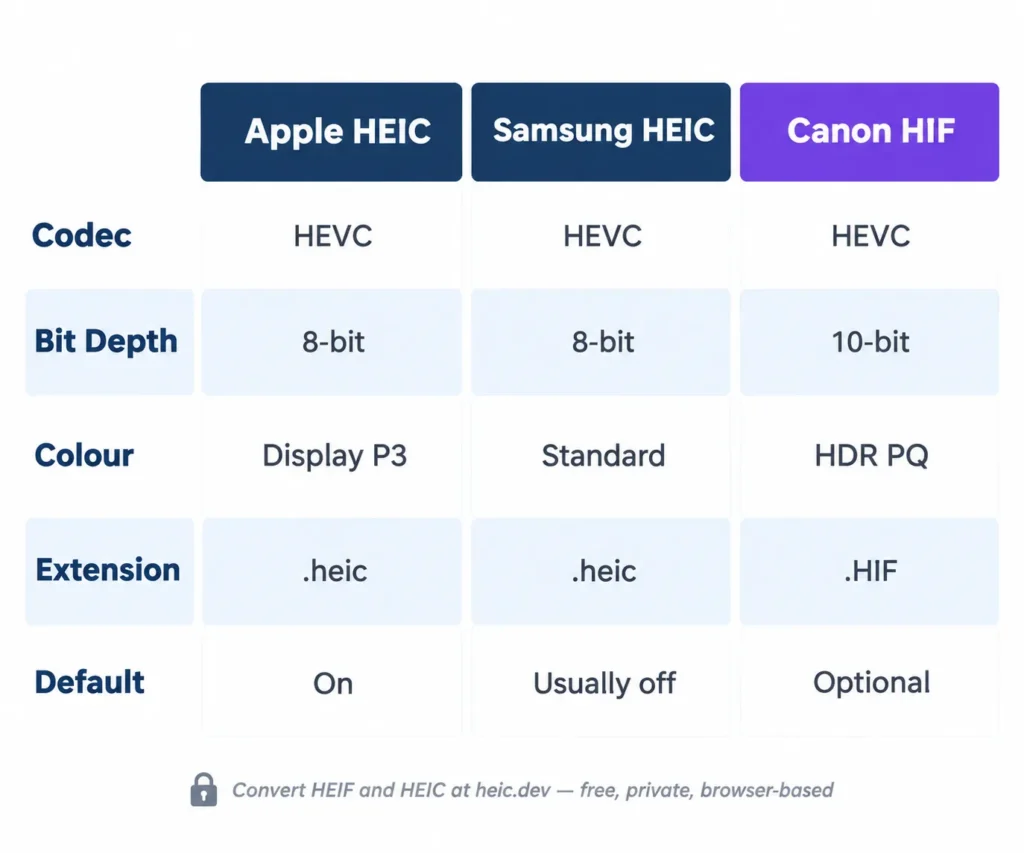
What the three file types look like side by side
| Property | Apple HEIC | Samsung HEIC | Canon HIF |
|---|---|---|---|
| Extension | .heic | .heic | .HIF |
| Codec | HEVC | HEVC | HEVC |
| Typical bit depth | 8-bit | 8-bit (check your model) | 10-bit (HDR PQ mode) |
| Typical colour | Display P3 | Check your model | HDR PQ, wide gamut |
| Default setting | On since iOS 11 | Off by default on many models | Optional mode |
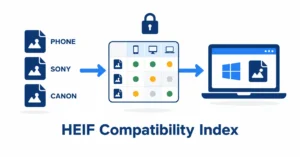
Platform support, as a rule of thumb (results vary by OS build and codec versions; see the full compatibility index):
| File | Windows 11 with HEIF and HEVC extensions | macOS | Android built-in viewer | Browsers |
|---|---|---|---|---|
| iPhone HEIC | Opens | Opens | Opens | Limited (Safari only) |
| Samsung HEIC | Opens | Opens | Opens | Limited |
| Canon HIF (10-bit HDR) | Varies | Varies | Varies | Limited |
Check Your Own File: Brand, Profile and Bit Depth
Don’t trust the extension. Read the brand code and the HEVC profile before deciding what a decoder must support.
- MediaInfo (free) shows the HEVC profile (Main or Main 10), the bit depth and the colour information.
- ExifTool (free) can list brand codes:
exiftool -MajorBrand -CompatibleBrands yourfile.hif. Tag names can vary between versions;exiftool -a -G1 yourfile.hiflists everything. - heic.dev’s HEIC Metadata Viewer shows the metadata a file carries, and runs locally in your browser.
Native browser support for HEIC is limited and varies by operating system, so do not assume a plain image tag will render these files. Convert before publishing to the web.
Common Problems and Fixes
A Canon HIF shows a blank thumbnail on Windows
Install the free HEIF Image Extensions from the Microsoft Store and add the HEVC Video Extensions if the file still will not render. If it is a 10-bit file, some decoders will not handle it at all. Converting to JPG or PNG is the quickest workaround, or open it in the camera maker’s software.
A .heic file opens on one device but not another
Check the bit depth and profile. Older decoders handle 8-bit heic files but can fail on 10-bit heix ones. Converting to a universal format fixes it.
Colours look flat after conversion
Canon HDR PQ files hold more range than an 8-bit SDR JPG can store. A straight conversion may not apply HDR tone mapping, so check one image first and keep the original. For colour-critical work, use Canon’s Digital Photo Professional.
Dates or GPS look different after converting
What survives depends on the converter and the output format. If dates or location matter, open the converted file in a metadata viewer before you delete the original, and read the Limitations page for what each format keeps.
Frequently Asked Questions
Is HEIF the same as HEIC?
Not exactly. HEIF is the container standard defined by MPEG. HEIC is the name and extension for HEIF files whose images are compressed with HEVC. Apple and Samsung write .heic, and Canon uses .HIF. All three are HEIF files with HEVC inside, labelled differently.
What codec does HEIC use?
HEIC uses HEVC, also called H.265. There is no separate “HEIF codec”; HEIF is only the container. The HEVC profile varies by device: 8-bit Main profiles on most phones and 10-bit Main 10 on some cameras.
Does Samsung use HEIF or HEIC?
Both words describe the same thing. Galaxy phones that offer “High efficiency pictures” write .heic files, which are HEIF containers holding HEVC images. On many models the option is off by default, so a lot of Galaxy photos are JPEG unless you turn it on.
What is Canon HIF, and is it the same as HEIC?
HIF is the extension Canon cameras use for HEIF images. It uses the same container and HEVC codec family as HEIC, but Canon’s HDR files typically carry 10-bit depth and an HDR colour profile, which makes them harder for older software to decode than an iPhone’s 8-bit HEIC.
Does HEIF support 10-bit colour?
Yes. HEIF files using HEVC’s Main 10 profile store 10-bit images, with 1,024 levels per channel against 256 for 8-bit. Many phone HEIC files are still 8-bit, and some older decoders cannot read 10-bit data.
Is AVIF the same as HEIF?
No. AVIF is a related image format built on a HEIF-style container but compressed with AV1 instead of HEVC. It is open and royalty-free, with wider browser support than HEIC.
Does converting HEIF to JPG lose quality?
Slightly, because JPG is a lossy 8-bit format and HEIF files can carry more data. For 10-bit HDR files, converting to JPG also discards the extra tonal range, so keep the original if you plan HDR editing or printing.
Final Words
The confusion between HEIF and HEIC comes down to labelling. It is the same container and the same HEVC family, with different profiles, bit depths and extensions depending on who made the file. Check the brand and profile of a file that will not open, then convert it or open it in the right software.
If you want a quick browser conversion, the heic.dev HEIF to JPG Converter works with Apple and Samsung files and many Canon files; read the limits for 10-bit HDR. For a plain-language overview of the formats, see HEIF vs HEIC and What Is a HEIC File?.
Sources: ISO/IEC 23008-12 (HEIF); Wikipedia: HEIF; Wikipedia: HEVC; Apple: camera formats.