HEIF compatibility on Windows 11 is partial. The operating system opens HEIF (High Efficiency Image Format) photos only after you install Microsoft’s HEIF Image Extensions, and some camera files still fail even then.
HEIF, the container format standardised by MPEG, is no longer an iPhone quirk. A Samsung Galaxy S24, a Sony A7 IV and a Canon EOS R5 can all save it. The photo looks perfect on the camera’s screen, then turns into a grey thumbnail, a black frame or a “codec missing” message the moment you open it on a PC or push it into an upload form. Same file. Different verdict on every platform.
heic.dev’s HEIF to JPG Converter fixes that in your browser — your photo never leaves your device.
Key Takeaways
- Windows 11 opens HEIF only with Microsoft’s HEIF Image Extensions, and HEVC-compressed files may need a separate codec.
- The fastest fix is heic.dev’s HEIF to JPG Converter: drag the file in and download a JPG, no account needed.
- heic.dev converts entirely in your browser using WebAssembly, so your photos are never uploaded to a server.
- Sony and Canon cameras can save 10-bit HDR HEIF files, which break more viewers than ordinary phone photos.
Table of Contents
What HEIF Actually Is?
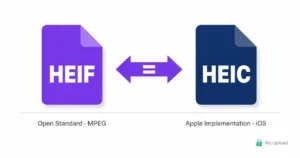
HEIF is a container, not a codec. It works like a box that can hold a single photo, a burst, a depth map or a transparent layer, and whatever sits inside is usually compressed with HEVC (H.265). That split is where the trouble starts.
HEIC is Apple’s name for HEIF with HEVC inside, and it became the iPhone default in iOS 11 in 2017. Files typically run 40–50% smaller than an equivalent JPG, which is why the format spread. Samsung cameras can save it through a high-efficiency setting. Sony and Canon write .HIF files, which are HEIF too, often with 10-bit colour that phone photos don’t use.
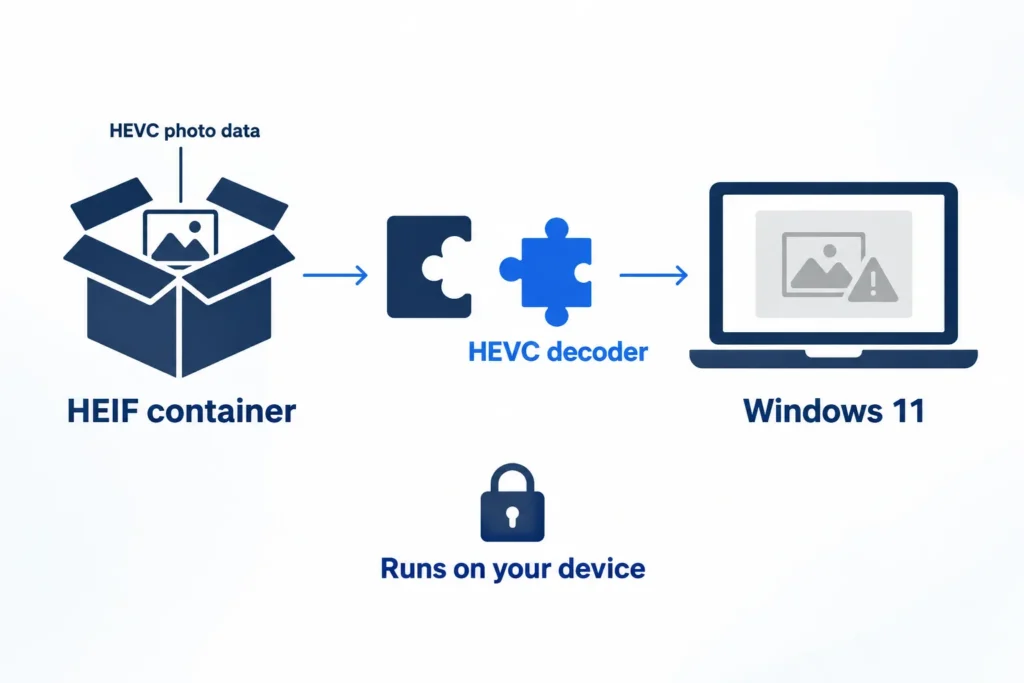
A platform can understand the container and still lack the HEVC decoder to read the picture inside. That gap causes most of the “codec missing” errors in this index. It’s also why one file opens instantly on a laptop and shows a grey box on the next.
For a quick fix, heic.dev’s HEIF to JPG Converter runs entirely in your browser. Most online converters require uploading your photos to their servers. heic.dev does not, so the file stays on your device the whole time.
HEIF Compatibility on Windows 11
Windows 11 doesn’t open every HEIF file out of the box. That surprises people who assume a modern operating system handles a format that shipped in 2017.
Microsoft’s answer is the free HEIF Image Extensions package in the Microsoft Store. Install it and plenty of HEIC photos gain thumbnails and open in the Photos app. But files compressed with HEVC often need a second add-on, HEVC Video Extensions, which some PC makers bundle and the Store sells separately on other machines. So two computers on the same Windows build can give two different results.
To install, open the Microsoft Store, search for HEIF Image Extensions and select Get. Repeat for HEVC Video Extensions, or look for the free “from Device Manufacturer” version if your PC maker offers it. If thumbnails stay grey afterwards, restart File Explorer or sign out and back in.
Failure modes you’ll see on Windows
Four symptoms account for most complaints.
- A codec missing or unsupported-format message: the HEIF or HEVC extension isn’t installed.
- Grey or blank thumbnails in File Explorer: previews can’t be decoded without the extensions.
- A black or empty image: a program found the container but couldn’t decode the HEVC data inside.
- Washed-out colour: the viewer ignored the HDR colour profile in a 10-bit camera file.
None of that means the file is damaged. The software reading it is missing a piece, which is a far easier problem than a corrupted photo.
Third-party programs add a wrinkle because they bring their own decoders. A photo that looks perfect in Photos can open black in another viewer, so test in the program you actually use.
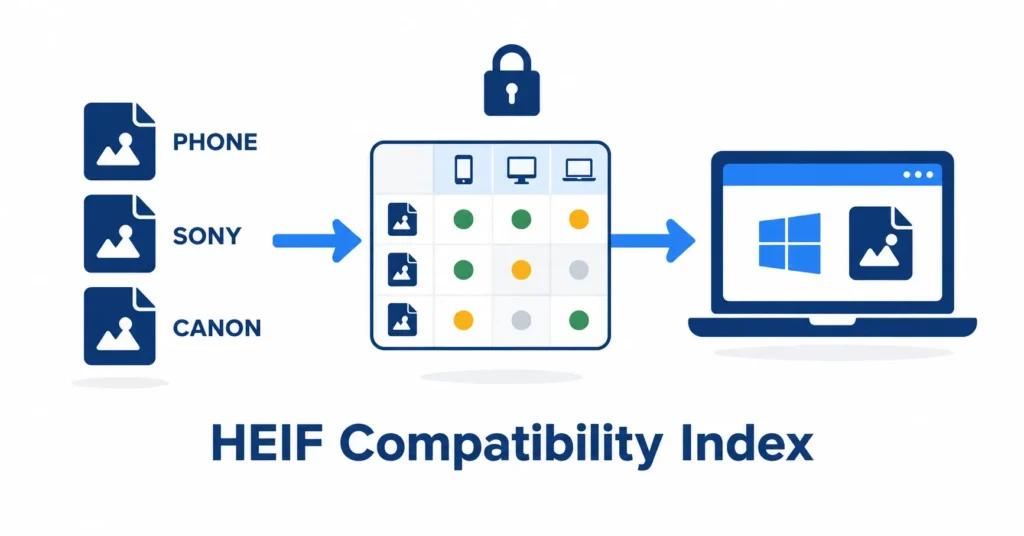
HEIF Compatibility Matrix by Device and Platform
Five source types, five platform groups, one honest label per cell. This index maps documented platform behaviour and the failure patterns people report most, not a lab run across every operating system. Treat “Varies” as shorthand for “test one file before you convert a hundred” — it saves hours.
| Source file | Windows 11 (stock) | Windows 11 + extensions | macOS | Android | Browsers |
|---|---|---|---|---|---|
| iPhone HEIC | Needs add-on | Opens | Opens | Opens | Limited |
| Samsung Galaxy HEIC | Needs add-on | Opens | Opens | Opens | Limited |
| Sony A7 IV HIF | Needs add-on | Varies | Varies | Varies | Limited |
| Canon EOS R HIF (HDR) | Needs add-on | Varies | Varies | Varies | Limited |
| Nikon Z / Fujifilm HEIF | Needs add-on | Varies | Varies | Varies | Limited |
Opens means it works with default tools. Needs add-on means it works after Microsoft’s extensions. Varies means the result depends on OS build, bit depth and codec version. Limited means most browsers other than Safari won’t display the file natively.
Two patterns jump out. Phone HEIC is the easy case: Android has decoded HEIF images since Android 9, macOS Preview opens HEIC natively from 10.13 onward, and Samsung’s own Gallery handles Samsung files without fuss.
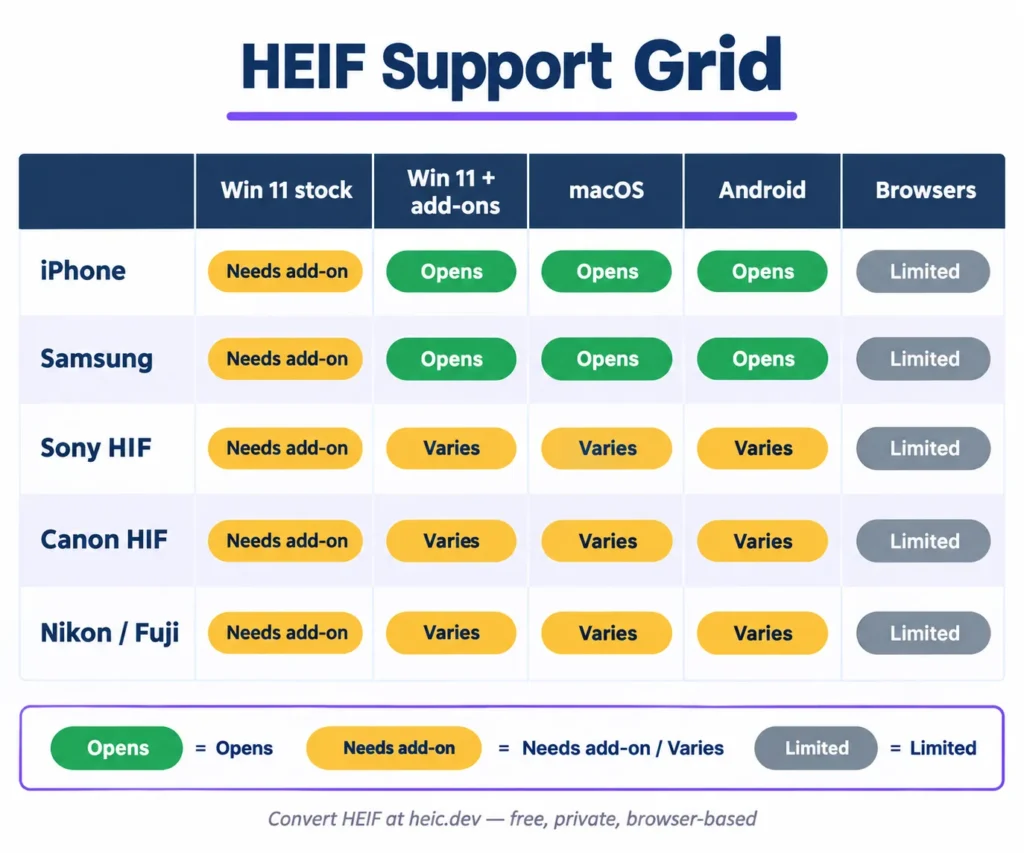
Camera HIF is the hard one. Bit depth, chroma format and HDR profile all vary by body, and every extra variable gives a decoder another way to fail. File managers and third-party Android apps differ from the system gallery, too, so “Opens” on Android means the built-in viewer.
Camera by Camera: Samsung, Sony and Canon
Three manufacturers, three ways of hitting the same wall.
How to open a Samsung HEIF file
Samsung’s Camera app writes HEIC when high efficiency pictures is switched on. Tap Settings in the Camera app, then Advanced picture options, and look for High efficiency pictures (menu names shift between One UI versions). Photos from a Galaxy S23 or S24 then open normally on the phone and on a Mac. A Windows PC wants the extensions first. Skipping the install? Drop the file into heic.dev’s converter and take the JPG.
Sony A7 IV HIF files
The A7 IV lets you pick HEIF as a still-image file format, and it saves files with the .HIF extension. Those files can be 10-bit, which is more than many decoders expect. On Windows, thumbnails can stay blank even after the extensions go in. The camera maker’s own desktop software is the other route, but check that your version lists HIF support before you rely on it.
Canon HEIF to JPG when colours look flat
Canon’s EOS R-series bodies with an HDR PQ mode, such as the R5 and R6, save HDR photos as HIF. View one on a standard display without HDR handling and the colours look flat, because the file expects a brighter, wider-gamut screen than yours. Converting to JPG gives you a file everyone can open. But a straight conversion doesn’t always apply HDR tone mapping, so check one image first. For colour-critical work, Canon’s Digital Photo Professional is built for the job.
Web Platform Support in 2026
Most upload failures happen before anyone looks at the picture. Many forms check the file extension or MIME type against an allow-list, and .heic, .heif and .hif rarely appear on it. The file gets rejected without ever being decoded.
There’s a deeper reason, too. MDN’s image format guide lists JPEG, PNG, WebP and AVIF among common web formats and doesn’t include HEIC, so web developers have little standard reason to support it. Native HEIC rendering in browsers is limited. Safari can display it; Chrome, Firefox and Edge generally don’t, and the answer shifts by operating system.
Then there are the apps. Discord, Slack, Facebook and Canva each handle HEIC differently across their browser, desktop and mobile versions, and behaviour changes with updates. A result in the mobile app tells you very little about the website, so test the exact place you plan to upload.
WordPress shows how fast things move. Recent releases can convert HEIC uploads to JPEG automatically, but only when the server’s image library supports HEIC. Adobe Photoshop typically opens HEIC too, though Windows machines can still need the extensions installed first.
The safest move for any web form is a JPG. It’s the one format every upload field on this list accepts.
A HEIF file opener that stays in your browser
Skip the installs and open the file in a browser tab. The heic.dev HEIF to JPG Converter decodes HEIF with WebAssembly (Wasm) on your own device, so nothing is uploaded and nothing is stored. It works in Chrome, Safari, Firefox and Edge — any modern browser.
- Open heic.dev/heif-to-jpg in your browser.
- Drag your HEIF or HEIC file onto the drop area, or click to browse.
- Wait a moment while the file converts locally.
- Click Download and save the JPG.
Got a Sony or Canon file ending in .HIF that the picker won’t take? Rename the extension to .heif and try again. It’s the same container with a different label, and the rename usually works.
Need lossless output for editing? The HEIF to PNG Converter does the same job and keeps every pixel, at a bigger file size.
One honest limit: a browser decoder won’t handle every 10-bit HDR camera file, so convert a single frame first. And if you’re processing a 10,000-photo shoot, the camera maker’s own software is the better tool for that job.
Common Problems and How to Fix Them
HEIF Thumbnails stay grey on Windows
Install HEIF Image Extensions from the Microsoft Store, then add an HEVC codec if the grey boxes remain. Restart File Explorer afterwards. If a file still won’t preview, it may be a 10-bit camera file, and converting it to JPG is faster than debugging the codec.
Colours look flat or washed out
That’s the signature of an HDR PQ file shown without HDR handling, common with Canon HIF. The image isn’t damaged. Open it in an HDR-aware viewer, use the camera maker’s software, or convert to JPG and compare one result before running a batch.
A platform still rejects the converted JPG
Many platforms check file size as well as format. Compress the original first with heic.dev’s HEIC Compressor, then convert. Check the platform’s stated limit before you start so you’re not guessing.
GPS and date vanish after conversion
Some converters strip EXIF metadata during export. heic.dev preserves metadata by default, which keeps capture dates and location data attached to the JPG.
Frequently Asked Questions
Why can’t Windows 11 open my HEIF file?
Windows 11 reads HEIF only when the HEIF Image Extensions from the Microsoft Store are installed, and HEVC-compressed files often need HEVC Video Extensions as well. Without them you’ll see a codec or unsupported-format message, grey thumbnails or a blank image. Converting the file to JPG in a browser tool skips the install entirely.
Does Windows 11 support HEIF natively?
Only partly. Windows 11 relies on add-ons from the Microsoft Store: HEIF Image Extensions and, for HEVC-compressed files, HEVC Video Extensions. Some PCs ship with them preinstalled and others don’t, so behavior differs between machines. If a file won’t open, check the Store for both extensions first.
How do I open a Samsung HEIF file on a PC?
Install the HEIF Image Extensions from the Microsoft Store, add an HEVC codec if the file still won’t open, then double-click the photo. Alternatively, drag the file into heic.dev’s HEIF to JPG Converter, which converts it in your browser without uploading anything, and open the JPG in any program.
Can I open a HEIF file on Android?
Usually, yes. Android has decoded HEIF images since Android 9, so most phones open Samsung and iPhone files in the Gallery or Google Photos. Third-party apps and file managers vary, and 10-bit camera files from Sony or Canon can still fail. If an app refuses the file, convert it to JPG first.
How do I convert Canon HEIF to JPG?
Open heic.dev’s HEIF to JPG Converter, drag in the Canon file and download the JPG. If the picker rejects the .HIF extension, rename it to .heif. HDR PQ files can look flat after conversion, so check one image first and use Canon’s Digital Photo Professional for colour-critical work.
Is a HIF file the same as a HEIF file?
Yes. HIF is the extension Sony and Canon use for files written in the HEIF container, usually with 10-bit colour. It’s the same format family as iPhone HEIC photos, but the higher bit depth and HDR profiles make HIF files harder for some viewers and converters to decode.
What is the difference between HEIF and HEIC?
HEIF is the container standard for images. HEIC is Apple’s file extension for HEIF files compressed with HEVC (H.265), introduced as the iPhone default in iOS 11. In practice, “HEIC” usually means a phone photo, while camera makers such as Sony and Canon label their HEIF files .HIF.
Does converting HEIF to JPG lose quality?
Slightly, because JPG is lossy and HEIF can store more information, such as 10-bit colour and transparency. At a high quality setting the difference is hard to spot in ordinary viewing. Keep your originals, and convert to PNG instead if you need lossless editing.
Is it safe to convert HEIF files online?
It depends on the tool. Most online converters upload your photos to their servers. heic.dev runs the conversion in your browser using WebAssembly, so your files never leave your device. Check any converter’s privacy statement before you upload personal or client photos.
Final Words
HEIF isn’t an Apple-only format anymore, and your Samsung, Sony or Canon files will keep landing in places that can’t read them. That problem has a quick fix.
The heic.dev HEIF to JPG Converter turns those files into JPGs in seconds, entirely in your browser. It’s free, needs no account, and nothing is uploaded, so the original stays untouched on your device. Want to keep every pixel for editing? The HEIF to PNG Converter is one click away.