HEIF and HEIC are closely related, which is why the two names appear almost interchangeably in camera settings, export menus and error messages. HEIF (High Efficiency Image File Format) is the container standard. HEIC is the name and extension for HEIF files whose images are compressed with the HEVC (H.265) codec. Apple uses .heic for iPhone and Mac photos, but the name is not Apple’s own: it belongs to the HEIF standard.
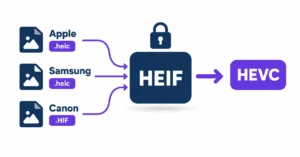
The confusion is understandable. You will see “High Efficiency” in your iPhone’s camera settings but find .heic on every photo in your camera roll. Samsung phones that offer “High efficiency pictures” also write .heic, while many cameras use .HIF or .heif. Some apps use both terms without explaining either. The files carry different extensions and can behave differently across devices, but they share the same underlying format.
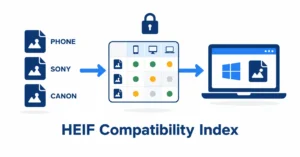
heic.dev’s HEIF to JPG Converter accepts .heif and .heic files and converts them in your browser, so your photos are not uploaded to a conversion server. Files from some cameras may need a test first; see the compatibility index.
Key Takeaways
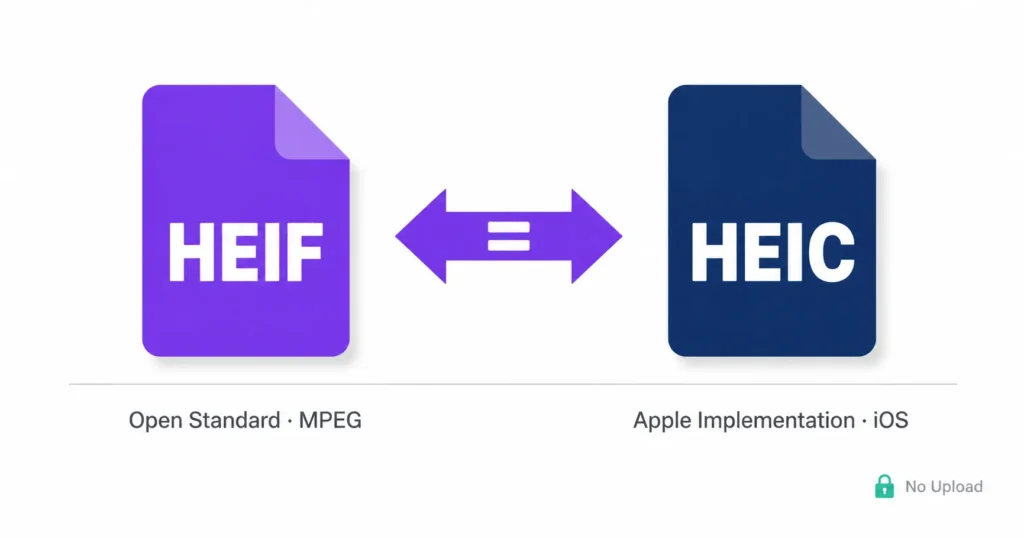
- HEIF is an open container standard from MPEG. HEIC is the name and extension for HEIF files with HEVC-compressed images. Apple made it the iPhone default in iOS 11.
- Different devices use different extensions (
.heic,.heif,.HIF) for the same family of files. The HEVC profile and bit depth can differ even when the extension matches. - You can convert
.heifand.heicfiles to JPG at heic.dev without uploading your photos. - HEIF and HEIC files are often 40 to 50% smaller than a JPG of similar quality. The compatibility gap, not the format quality, is the real problem.
Table of Contents
What Is HEIF, and Where Did It Come From?
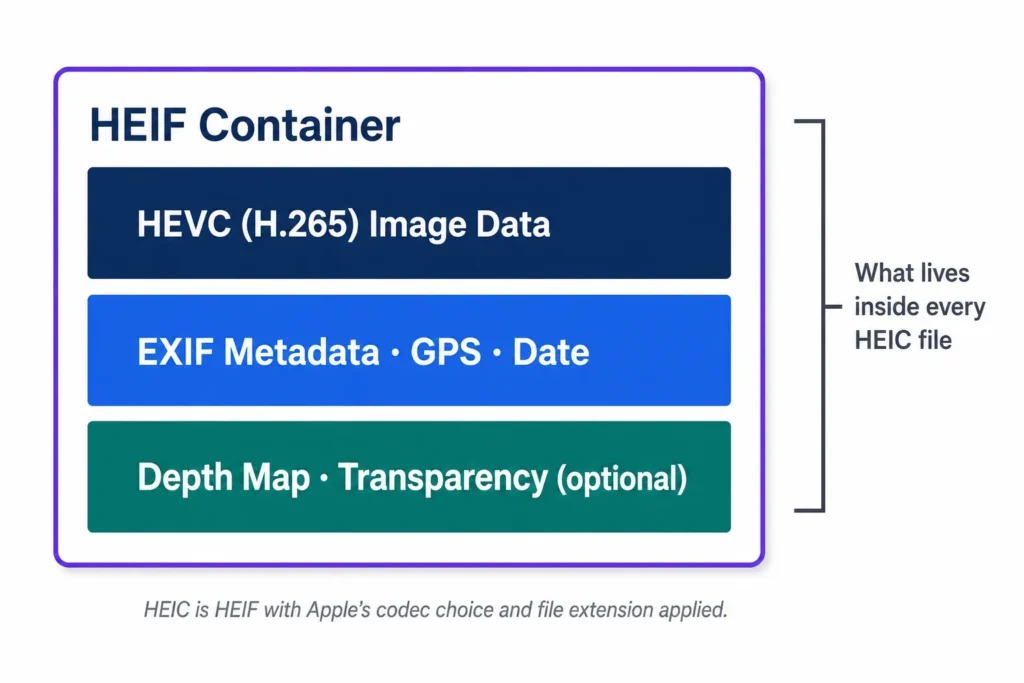
HEIF stands for High Efficiency Image File Format. It is a container: it defines how image data, metadata and optional extras such as depth maps or image sequences are wrapped into a file. HEIF itself does not compress images. That job belongs to the codec inside the container, which in most cases is HEVC (H.265). MPEG developed HEIF and standardised it as ISO/IEC 23008-12; Wikipedia’s HEIF article gives the background. Apple adopted it as the default iPhone photo format in 2017 with iOS 11.
HEIF is an open standard, not an Apple invention, and other manufacturers use it too. What differs is which extension and which settings each device uses.
The container can hold more than JPG can: image sequences, depth maps, alpha transparency and HDR or 10-bit data. That flexibility is part of why Apple moved away from JPG, alongside the smaller file sizes.
HEIC vs HEIF: How the Names Relate
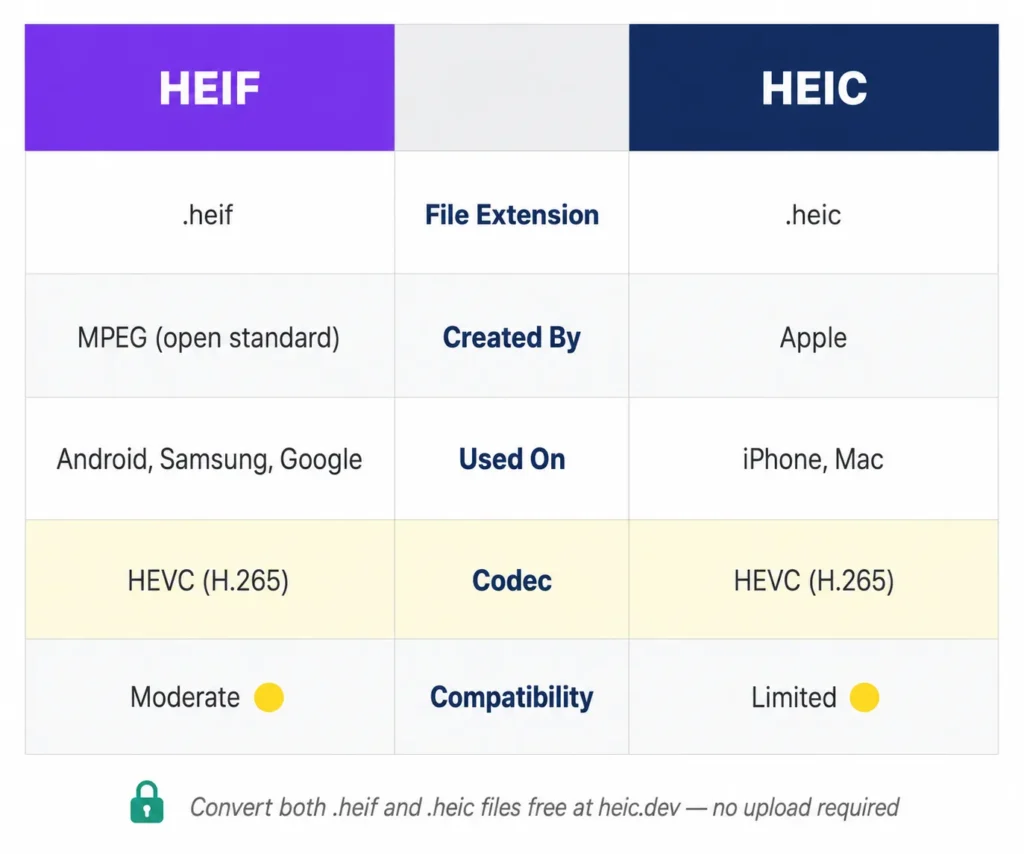
Apple did not create a new format. It adopted HEIF with HEVC compression, and the .heic extension and heic brand code that the HEIF standard defines for that combination. In other words, HEIC is a kind of HEIF file: one whose images are HEVC-coded.
According to Apple’s camera formats page, iPhones running iOS 11 or later use the High Efficiency format by default unless you change it in Settings. The files look identical to JPGs on your screen and are often 40 to 50% smaller at similar quality. The problem only appears when you move files to a device or site that has not added HEIC support.
The codec is the key technical detail
The HEIF container can hold other codecs too. A HEIF file can use AVC (H.264) compression, usually under the avci brand, though you rarely see it. Nearly every HEIF or HEIC photo from a phone or camera uses HEVC, so the practical difference between files is usually the HEVC profile, the bit depth and the extension, not a different codec.
There is also AVIF, a related format built on a HEIF-style container but compressed with AV1 instead of HEVC. AVIF has broader browser support than HEIC and is increasingly common for web images, but that is a separate format.
Which Device Writes Which Extension?
Extensions are labels, and different makers use different ones. This is a rule of thumb, since settings and defaults vary by model and software version.
| Source | Typical extension | Notes |
|---|---|---|
| iPhone and iPad | .heic | On by default since iOS 11; the setting is called High Efficiency |
| Samsung Galaxy phones | .heic | Only when “High efficiency pictures” is turned on; off by default on many models |
| Many Sony and Canon cameras | .HIF (sometimes .heif) | Often 10-bit HDR, which older software may not read |
If you are unsure what a file actually contains, check its brand code and HEVC profile rather than trusting the extension. Our guide to what a HEIC file is explains the basics.
Compatibility: Where Each Format Works (and Doesn’t)
Three things can go wrong when you move HEIF or HEIC files off the device that created them.
On Windows, neither format opens without extensions. You need the free HEIF Image Extensions from the Microsoft Store, and many PCs also need the HEVC Video Extensions. Without them, files show as grey icons with no thumbnail. Windows does not prompt you to install them, so many people only find out when something breaks.
On macOS 10.13 High Sierra and later, Preview opens both .heic and .heif files without extra software. To get a JPG, choose File, Export in Preview. Older macOS versions do not support either format natively.
Web upload forms and third-party apps are the trickiest area. Many older content management systems, some online shops and some social platforms reject HEIC and HEIF files or fail to process them. When that happens, converting to JPG before uploading is the most reliable fix. The heic.dev HEIF to JPG Converter runs in your browser: select the file, download the JPG and upload that.
If you need transparency preserved, the HEIF to PNG Converter outputs PNG with the same browser-only approach.
Common Problems and How to Fix Them
A HEIF file opens on iPhone but shows as a grey box on Windows
Open the Microsoft Store, search for “HEIF Image Extensions” and install the free Microsoft package. If thumbnails are still grey, add the HEVC Video Extensions. After that, HEIF and HEIC files should show thumbnails and open in Photos.
An uploaded HEIF file gets rejected by a website
Many upload forms check the file extension and do not accept .heif or .heic, even when the site could technically handle the image. Convert to JPG with the HEIF to JPG Converter and upload that. This fixes most format-related rejections. If the JPG is still refused, check the size limit.
The converted JPG looks softer than the original
The quality setting was probably too low. In heic.dev the quality default is 85%; raise it for more detail. If you use another tool, check its quality slider. Settings below about 80% tend to show compression artefacts on fine detail such as hair, fabric and foliage.
Date and GPS location are missing from the converted file
What a converter keeps depends on the tool and the output format. Check the converted file in a metadata viewer, such as heic.dev’s HEIC Metadata Viewer, and read the Limitations page. If details were lost in a conversion elsewhere, they cannot be restored from the JPG; the original file is the only complete source.
A camera HEIF or HIF file won’t open in Apple Photos
Camera HEIF files, especially 10-bit HDR ones, use profiles that some software versions do not read. Try opening the file in the camera maker’s software, update your OS and apps, or convert a copy to JPG, which opens everywhere. Keep the original, since the JPG will be 8-bit and standard dynamic range.
Frequently Asked Questions
What is the difference between HEIF and HEIC?
HEIF (High Efficiency Image File Format) is an open container standard from MPEG. HEIC is the name and extension for HEIF files whose images are compressed with HEVC (H.265). Every HEIC file is a HEIF file, but not every HEIF file uses the .heic extension. Cameras from Sony and Canon, for example, often write .HIF. The files share the same structure, so a converter that handles one usually handles the other.
Can I open HEIF files on Windows?
Yes, with extra steps. Windows needs the free HEIF Image Extensions from the Microsoft Store, and many PCs also need the HEVC Video Extensions. Once installed, Photos and File Explorer should show HEIF and HEIC files. Alternatively, convert to JPG before moving the file to Windows.
Does converting HEIF to JPG lose quality?
Slightly. JPG is a lossy 8-bit format, so converting re-encodes the image. At a quality setting around 85% or higher, the difference is hard to see in most photos. For 10-bit or HDR files, converting to JPG also drops the extra tonal range, so keep the original if you plan HDR editing or printing.
Why does my phone or camera save photos as HEIF?
HEIF with HEVC gives similar image quality at a smaller file size than JPG, which saves storage. iPhones use it by default. Samsung phones use it when “High efficiency pictures” is turned on, and many cameras offer it as an option, sometimes with 10-bit HDR. The extension varies by device, such as .heic or .HIF.
Can I convert HEIF to JPG without uploading my photos?
Yes. heic.dev’s HEIF to JPG Converter runs in your browser using WebAssembly, so your photos are processed on your device and are not sent to a conversion server. Many online converters do require uploading files to their servers, so check what a tool does before you use it.
What codec does HEIF use?
HEIF is a container, so it can hold different codecs. In practice nearly every HEIF and HEIC photo from a phone or camera uses HEVC (H.265). A related format, AVIF, uses AV1 and has broader browser support. HEIC from an iPhone uses HEVC.
Is HEIF better than JPG?
On technical merit, usually yes: similar or better quality at a smaller size, plus support for depth maps, transparency and HDR data. The catch is compatibility, because JPG opens almost everywhere and HEIF does not. For storing photos on your own devices, HEIF is efficient. For sharing across platforms and apps, JPG is the safer choice in 2026.
Does Apple use HEIF or HEIC on my iPhone?
Both words describe the same photos. In Settings, Camera, Formats, the option is labelled High Efficiency. The files in your camera roll have the .heic extension. Apple’s documentation refers to HEIF and HEVC for the format.
Final Words
The HEIF vs HEIC question has a short answer: HEIF is the container standard, and HEIC is the name for HEIF files with HEVC-compressed images. Apple uses .heic, other devices use .heic, .HIF or .heif, and Windows will not open any of them until the right extensions are installed.
The format itself is good. The compatibility situation is what frustrates people, and it is solvable. The heic.dev HEIF to JPG Converter converts .heif and .heic files to JPG in your browser without uploading the photos. If you need PNG instead, for example for transparency, use the HEIF to PNG Converter.